Speaking of Clover.

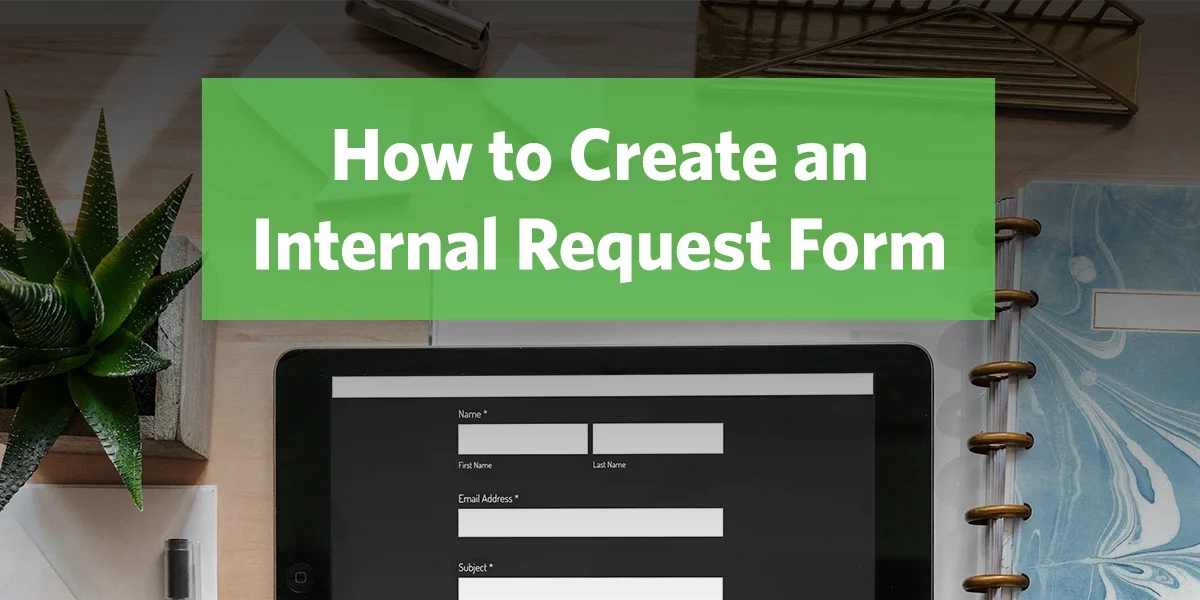
New Feature: The Form Page

Every Clover website is now equipped with the ability to add form pages.

If you own a Clover site, you now have the easiest way to create a form on the web. Even if you don’t have a need to collect information from your visitors, it’s worth messing with just to see how easy it is to create a form.

Hats off to Jeremy, who has put some long and hard hours into this feature.

Here’s a walkthrough of this new feature:

We’ve also put together a super in-depth help article that has both a written walkthrough and also a reference of all the advanced options that are possible.

Thanks for waiting for this feature! Happy form creating…

52 Comments

JeffB said on April 29th, 2011:

YEAAAA! Awesome guys, simply awesome…

Alan Murray said on April 29th, 2011:

WONDERFUL!!!!! I’ve waited for a year for this one….GREAT WORK!!!! SO EASY!!!! (feel sorry for jotform…no longer need them:(

LOVE CLOVER!!!!!

Chris Seaton said on April 29th, 2011:

Worth the wait! Never been sorry that we went with Clover. You guys are amazing…

Aaron said on April 29th, 2011:

So stoked about this! Thanks again guys!

Shaheen said on April 29th, 2011:

THANK YOU SO MUCH! Clover was the best step we could’ve ever taken!

Travis Gingrich said on April 29th, 2011:

Great work. Love it guys. Thanks so much.

Andy said on April 29th, 2011:

Wow! Very nice! Intuitive, flexible, and predictably smooth and beautiful.

It’s hard to imagine that you’d be interested in anything besides partying right now, considering such a milestone. But, when the development urges return to you, I’d love to see the multiple choice field work with arrow keys and typed letters. I’d also love to be able to get form results aggregated into an Excel spreadsheet, down-loadable at any time. (Of course, that would demand Clover’s storage of the form results; but, it would sure beat copying or re-typing the results field by field upon receiving emails.)

Again, please ignore this unless and until you want to make improvements. Incredible job.

Doug said on April 29th, 2011:

We’re happy with Clover.
I’ve been looking forward to this feature for some time. We hope that, as we get into the creation mode, that there’s a way to make the content secure. Having personal information flying over just open internet sounds dodgy to me…. but this is at least a step in the right direction. Thanks!
Doug

Alison said on April 29th, 2011:

I am so excited the forms have arrived!! One question, any chance we can create forms and link to them without creating a new page/subheading?

Andrew Orlando said on April 29th, 2011:

Great! and Awesome! one question. Will you be planning to integrate a “reports” feature for use in collecting data from Forms we use on our sites?

Randy said on April 29th, 2011:

In the midst of days where the value of the dollar and the goods and services it can buy is steadily shrinking, Clover just keeps giving and giving… what an amazing testament you guys are.

nathan said on April 29th, 2011:

So great…thank you…not to sound ungrateful, but are the photo albums on deck then?

Rene Garzona said on April 29th, 2011:

I LOVE IT!!!!

Kenny DeVillier said on April 30th, 2011:

I love the forms feature but how can I collect payments? I have to take my visitors to an dummy web page (outsdide of clover) to collect payments now. Will this ever be an option?

John Wallestad said on April 30th, 2011:

Dear Jeremy/Clover,

Does your new forms feature include order forms? I have a small business selling strings for stringed instruments. There’s two ways I want to go with it. One is with a full blown web site. The other is with just an order form that shows up on the customer’s screen when he/she e-mails me. In addition to personal info for shipping the order form will allow the customer to scroll/click to the manufacturer, then to the item#(the specific string set), punch in the quantity, and the order form takes care of everything else (shipping charge, tax, total price. etc.). I’ve searched cyber-world for an order form that I could adjust/modify without having to learn Javascript. No luck. Do you have such a form? Are you working on one? Know anyone that does? Any thoughts at all? I’d sure appreciate any response.

John Wallestad
Crosstrings

Janet Schiesl said on April 30th, 2011:

Looks great. I can’t wait to use it.

Scott Postma said on April 30th, 2011:

Great job guys. Clover is the most intuitive platform I’ve ever worked with and now the forms page just made life easier. Thanks!!!!

Cody said on April 30th, 2011:

This is “the jam!” I will be adding several of these in the very near future! Nice attention to the details! Thank you guys!

Kim said on April 30th, 2011:

Yay! Just finished adding to our site! Love it!

Ryan said on April 30th, 2011:

Awesome! The form function is easy to use. I have a BIG suggestion though. Can you add an option to the form creation process that would let different forms be sent to different email addresses? Please?!

Gigi said on April 30th, 2011:

You guys are the best in my book. And now forms! And what great timing – the new Spring classes + online registration capability….. wow!

Joe said on April 30th, 2011:

Sooooo excited! Can’t wait to use this feature

Ben said on April 30th, 2011:

Hey everyone – thanks for all the great feedback. We love hearing that something we put tons of our time and energy into is now helping you!

I’ll address a couple quick questions that have easy answers first. You definitely can make multiple forms that get sent do different people. Each form page has its own settings, so each one can be sent to whoever you’d like. As far as security and personal information goes, we use industry standard practices to protect you and your visitors in many ways. Submitting a form is actually more secure than most email or chat programs. However, when it comes to financial information, there are very strict rules (about 65 pages worth, actually) that must be followed for full compliance. So for sensitive info, it’s definitely worth using a third party that is made to handle it.

As far as the other main questions – having a reports page or excel document of all responses, and integrating payment options for order forms – we totally hear you and we’ll consider adding these features in the future. As always, we’re trying to balance ease of use for 90% of our customers vs more specialized needs. We don’t want to promise anything, but we will definitely listen and consider everything!

It makes us really happy to keep creating valuable things and releasing them for free!

Brian Moore said on April 30th, 2011:

This is a very nice clean new feature is already being put to good use. The one thing I see missing is a set of rules associated to a multiply choice or radio button. In other words if a person selects to be removed from a email newsletter then i want to show a box for them to give any comments but i only want this box to be visible if they select the radio button to be removed. Or another example, if the user selects the “change” radio button then i will want to show two fields, “Old Email” and “New Email” but i will want to hide the “Old Email” for all other radio button choices. I hope that makes sense and something doable. Thanks again for making something so easy and clean.

Karen Ludik said on May 1st, 2011:

Well done! The new forms page is great and long-awaited. Thank you so much! I’m most disappointed though that you can only add a form as another page. Already on our site, I am growing short of pages and sub-pages. I was hoping I could launch a form from a link. Like ‘We are offering this course – sign up HERE!’ click here. This would be sooo much easier than having to waste precious pages on forms. On your form page you only have a link to the form that pops up as a separate window anyway, it’s not embedded as part of the page. Why can’t we just create a our own link to a form without having to create a whole new page?? Sorry for the moan. But seriously, well done :)

Sandy said on May 1st, 2011:

This is a wonderful addition to all the marvelous tools Clover already provides us with! I can’t wait to start playing around with this because it will make life so much easier in our office!!!

Thank you so much!!!

Kris said on May 1st, 2011:

Wow! Thanks for this feature! I can’t wait to get this going on our site! You guys do such wonderful work and I can’t brag about you guys enough.

Mary said on May 1st, 2011:

Hey Karen,

Thanks for the note. The cool thing is that going forward, you will have exactly what you’re asking! Simply choose the page design you’d like, add your text, images, etc., and then add your form!

And now if you have to change a couple pages to ‘Form’ pages officially, keep in mind, you can still have all the content your current ‘Text’ page has with the added Form option!

Hope that helps!

Victor Gazio said on May 1st, 2011:

Hey Jim!
Great video, you’re looking dapper as ever.
I understand the idea of making things as easy as possible for people but i was really expecting something slightly more robust. In my mind what would have made sense would have been the ability to make any link, link to a form. So when people have items for sale listed they could simply tag the “contact me” button right on that item or anywhere on the current site. Also a feature that would have been helpful would have been “hard text” that gets emailed along only to the receiver. Anyway I’m sure people are going to benefit greatly. By the way how you liking the new place?

Victor

Tyler said on May 1st, 2011:

Thanks a TON for this option. I’ve been waiting on it for over a year, and It doesn’t dissapoint. It does everything I want so far as I can tell, but so long as you are listening, wondered if you’d like a few ,(seemingly) simple tweaks?
First, would it be possible to have an “other” option on the radio/drop down, etc fields, so that if someone’s answer doesn’t fit what we have as options, they could fill in the blank?
Second, can you put multiple email addresses in the field where the responses will go? And if so, is it by comma or semi-colon that we should separate them?
And lastly, what if instead of having to make separate form, media and text pages, you could have an option in the dashboard to add a form, calendar or media player to the page because all that changes anyways as of now (so far as I can tell) is that a link shows in the body of the page. Then a text page could easily become a form or media page just by checking a box in the page settings, and wouldn’t have to delete and re-create pages just to add a form to them. It also might create the flexibility in the future to create a page that had a form, a calendar, and a Media player all on the same page.

I don’t know how easy or difficult any of this is, and so for now I am extatic that there are forms on my website, but if you want to take these ideas and run with them, then please, be my guest!

Tyler

Tyler said on May 2nd, 2011:

Got your “forms” email last night. Went live with a “form” this morning. Do I have to tell everyone that you guys do all the work or can I continue being the hero?

Bill said on May 2nd, 2011:

Nice! Good start, but a reports page is really needed to access the data that is collected….kind of like what Wufoo provides. Keep up the good work ! We are very happy with our site!

Bobby said on May 2nd, 2011:

Yes, existing customers get new features, but I wouldn’t say for free. We’re paying monthly as opposed to a ‘one-time’ fee. (I’m aware a small part of that goes to hosting.)

Patti Bower said on May 2nd, 2011:

LOVE the new forms option! We put it to use immediately when it became available. The only “glitch” we’ve encountered is that pressing Enter automatically sends the message. This only appears to be an issue when people are including a message (like this). Those who like good grammar hit a hard return for a new paragraph and “poof!” the message is sent. If there’s an easy fix, fantastic. If not, it’s a great form anyway. (I almost hit a hard return right here.) :-) We’re also enjoying the addition of the List function. So thanks for the continuous improvements – they’re much appreciated!

Dustin Brown said on May 2nd, 2011:

Nice job guys, but reports are an absolute must. Don’t really see how including that option really hinders “ease of use” for anyone. Looks like I’ll be sticking with Google Docs for now. (sad face)

Phil Boggs said on May 2nd, 2011:

I think Allison got it right (see above and below). We really need to link to forms from within our pages. My site is almost maxed out; I cannot afford to use a page for a form. My site needs 4 forms right now.

Allison: I am so excited the forms have arrived!! One question, any chance we can create forms and link to them without creating a new page/subheading?

Cecilia said on May 2nd, 2011:

I’ve just created my first form and it was pretty detailed and I’m very impressed with what you’ve done here! Thank you so much. I also was wondering how to put multiple emails… comma, semicolon?

Mary said on May 2nd, 2011:

Hey Cecilia,

Congrats on your first form! Great job. And yes, you can separate your email addresses with commas.

Enjoy ~

Steve said on May 2nd, 2011:

How about collecting payments… haven’t seen this question answered yet.

Tim said on May 3rd, 2011:

I like it–but let me add my voice to those encouraging you to consider making the form feature simply a linkable option and not its own page. Thanks for the great work!

PAUL said on May 3rd, 2011:

Great work…only drawback I see is when you have multiple events being signed up for on a regular basis, it really would clutter up the site to have that many different pages. If the forms could be hidden pages that were linked to, it would be much cleaner.

PAUL said on May 3rd, 2011:

Just a follow up on my above comment. We use the list pages for displaying our various small groups which have online registration through another forms company that we link to. With 15+groups, that would be a lot of additional pages. We also do that with our upcoming events page. Not every event do we want to dedicate a page to, so we created an upcoming events list page & for those that have registration, we add a link to the form. Any way I look at it, we would not be able to create multiple forms on a single page.

Ben said on May 3rd, 2011:

Hey everyone – I started writing a response to all the questions you asked here, and by the time it got to be 5 paragraphs long, I realized it might be better as its own blog post. So here’s a follow-up on the form page feature: http://www.speakingofclover.com/2011/05/form-page-follow-up/

Christina said on May 3rd, 2011:

I am unclear on how we get the info that is entered into the forms. Thanks!

Mary said on May 3rd, 2011:

Hi Christina,

When you’re creating a Form, you can click on ‘Edit Form’ and then the ‘Form Settings’ button (in the bottom left hand corner). There you can add email addresses for the results!

Have fun!

Matt said on May 4th, 2011:

Love the forms. I had a comment by some folks in my church that the font is too small for them to read. Is there currently a way to enlarge the fonts or will this be something you will be working on in the future? Thanks again for all of the hard work!

Clay said on May 7th, 2011:

I would like the forms to work on mobile devices. Any way to do this?

Mary said on May 9th, 2011:

Hey Clay,

We really like that idea too. Not sure honestly when (or if) it might happen, but we definitely agree with you! Thanks for the comment.

Paul 2 said on May 10th, 2011:

my name is Paul 2 because my name is paul and i happen to agree with the paul above here: I really hope there is a way to make a form an embedded element like a video, so that it doesn’t have to be a form-per-page situation…

ALSO: when creating one of these forms, it would be worth the time to create it if there was a copy/paste function for the elements that retains each element’s settings. for instance, we have a vbs registration form with multiple lines for kids’ names, ages, birthday, sex. Its a pain to create a form with repeat fields and have to create each repeated element from scratch. thanks!!

p2

Shannon said on May 19th, 2011:

I LOVE the new form feature, but after creating one for my site, I got some frustrated phone calls which led me to discovering that the form can’t be accessed on a smart phone!?!? It just tells you to go to a PC. Argh! Is this getting fixed? Pleeeeeeeeeease!?

Mary said on May 23rd, 2011:

Hey Shannon,

Not too sure exactly about this one. We definitely see the value, but it isn’t just yet on the short term list of things to do. We will keep you posted though!

Ben said on June 23rd, 2011:

Just wanted to let everyone know that we’ve now launched the reporting feature. You can activate it in the settings screen of any of your form pages.

We’ll be working on other requested features as soon as we can. You can read about the newest things we launched here: http://www.speakingofclover.com/2011/06/two-new-features-social-links-and-form-reporting/